


How do I use WoW Forever Class comparison?
- Open the comparison or use the class-directory selection tray. Choose two different classes for the same role; a third slot is optional.
- Read the role, pet, solo and tradeoff rows before choosing a build. Replace a selection with the empty option to remove it; the same class cannot fill two slots.
- Use Save to replace this browser’s ordinary comparison. Copy link for an independent editable copy, or Download CSV for a spreadsheet record of the visible fields.
Worked example
Compare Paladin and Shaman for healing support, then add Druid if changing roles matters. Read the solo routine and tradeoff rows, and open a separate build for the role you actually intend to play.
This comparison is free and needs no account. Save stores your selection in this browser. CSV downloads include a Forever Forge header and reference build; a share link carries an editable copy of the selected classes.
- Is this tool free and do I need an account?
- Free and unlimited use; current price $0. No account is required.
- What can I export?
- Download the selected classes and comparison fields as a UTF-8 CSV file, or copy an editable comparison link. CSV opens in a spreadsheet and preserves accented names.
- What are the limits?
- Compare up to 3 distinct classes. Start with 2 for a useful side-by-side decision. A duplicate class is rejected.
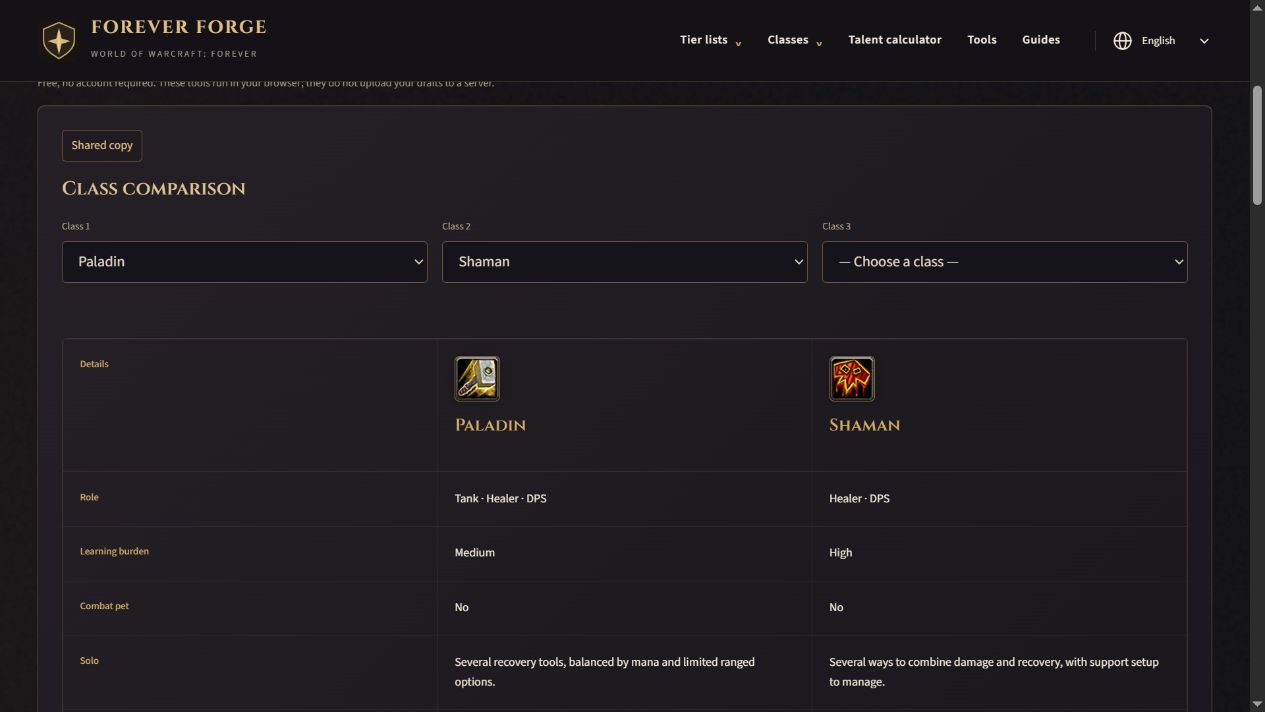
Compare the same job
First choose two classes you are actually considering. Role, range and pet management are factual or qualitative traits, while our solo and learning descriptions are editorial guidance. They do not stand in for a damage simulation. A class with several roles needs separate builds and gear to use them well.
Turn a difference into an action
If a candidate depends on a pet, read its pet-management advice before committing. If a hybrid appeals to you, compare the specific role you plan to play rather than assuming one talent build performs every job. Open each guide from the table and save separate talent drafts for the roles you want to explore.
Common questions
Is this tool free and do I need an account?
Free and unlimited use; current price $0. No account is required.
What can I export?
Download the selected classes and comparison fields as a UTF-8 CSV file, or copy an editable comparison link. CSV opens in a spreadsheet and preserves accented names.
What are the limits?
Compare up to 3 distinct classes. Start with 2 for a useful side-by-side decision. A duplicate class is rejected.
Does opening or saving a shared copy replace my work?
Opening and editing a shared link leaves the ordinary saved comparison alone. The Save button explicitly replaces the comparison stored in this browser with your current choices.
Where is my work saved?
Runs in your browser. Drafts stay on this device; a shared link exposes the game choices encoded in it.
How do I use it on a phone?
Choose 2–3 different classes in the selectors. Swipe the comparison table horizontally to see the other columns when needed. Use Save to replace this browser’s saved comparison, or keep a separate copy with a share link or CSV download.
Which data version does the tool use?
The reference is build 1.60.1.70755, generated November 3, 2026. Links carry that version. Known Riptide and Oath of Light source conflicts are annotated in the relevant planner.
What should I do if a link cannot be loaded?
Keep the current browser draft. Check the full link and reference build, then ask the sender for a new link from the same dataset. An invalid link is rejected instead of silently replacing valid local work.
Sources
- Public talent-data reference · Checked 2026-11-04
- Blizzard — classes and races · Checked 2026-11-04
- Rules and limitations · Checked 2026-11-04